

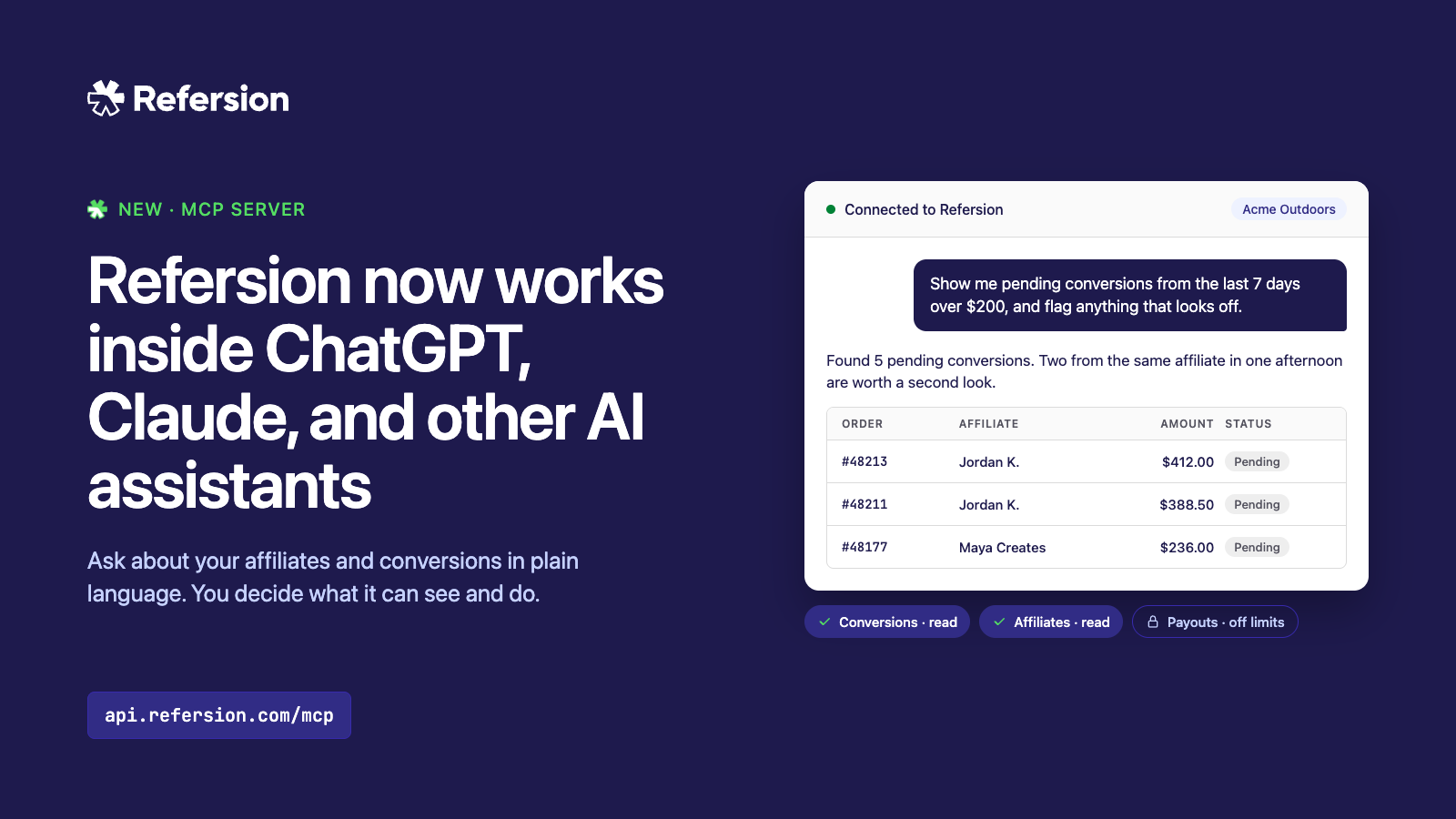
Refersion now has an MCP server. It connects an AI assistant like ChatGPT or Claude to your Refersion account, so you can ask about your affiliates and conversions in plain language and get answers from your live data. If you allow it, the assistant can also make changes for you. You set it up once and decide exactly what it’s allowed to see and do.
What MCP is
MCP (Model Context Protocol) is an open standard that lets AI assistants call outside tools. ChatGPT supports it, Claude supports it, and so do a growing number of other assistants and agent tools. If the AI you use can add an MCP server, it can connect to Refersion. We didn’t build a plugin for one vendor, so you aren’t tied to whichever assistant you happen to start with.
What it can do
The MCP server sits on top of our newest API version. Each tool the assistant sees maps to an endpoint in that API, which means anything you can do through the current API, you can do by asking for it in plain language. When we add an endpoint to the API, your assistant gets a new tool at the same time.
Today that covers affiliates, conversions, offers, orders, clicks, promotion methods, webhook endpoints, and affiliate prospecting. Here’s what that looks like day to day.
Reviewing conversions
“Show me pending conversions from the last 7 days over $200, and flag anything that looks off.” The assistant pulls the conversions, checks them against each other, and lists the ones worth a second look, say an affiliate with several large orders in one afternoon. If you’ve granted write access, you can follow up with “approve the rest” and it will.
Reviewing affiliates
“Which affiliates signed up this month but haven’t driven a sale yet?” Or: “Compare my top 10 affiliates by revenue this quarter with last quarter. Who dropped off?” Answering either one used to mean a couple of exports and a spreadsheet.
Working through the approval queue
“List the affiliates waiting for approval, show me their promotion methods and registration answers, and approve the ones who listed a website.” You see the list before anything changes, and you can pull people off it before saying yes.
Tracking down a missing commission
A creator emails to say a customer used their code and they never got credit. “Look up order 48213. Did it convert? If not, credit it to affiliate 9921.” It takes a couple of minutes instead of ten, and you don’t have to open three screens to do it.
Managing offers
“Duplicate my Summer offer, call it Fall, and tell me which affiliates are still on Summer.” Sometimes the most frustrating part about managing an affiliate program is ensuring you are configuring offers with the critical settings needed, but that are also nested deep in the UI. This simplifies the process.
Finding new partners
“Find prospective affiliates who fit our brand and write an outreach message for the top three.” The assistant runs Refersion’s prospect discovery, generates the pitches, and hands them back for you to review and send.
You don’t need a developer for any of this, and you can keep asking follow-up questions without starting over.
Security is the priority
Being nervous about letting an AI act on your business data is reasonable. We were too, so we built the authorization flow around that.
When you connect an assistant, you sign in to Refersion and get a consent screen that lists exactly what the assistant is asking for. Permissions are granular: they’re split by area (affiliates, conversions, offers, orders, reports, and so on) and by read versus write, and you can uncheck anything you don’t want to hand over. An assistant with permission to view conversions can look at them all day, but it can’t approve or deny a single one unless you also gave it permission to change them. If it tries something outside what you granted, the API refuses the request.
Every tool also tells the assistant whether it only reads data, makes a change, or deletes something, so assistants that support confirmations will check with you before deleting an affiliate or an offer. An assistant that isn’t Refersion’s own shows up on the consent screen marked as unverified, so you know who you’re dealing with. Every connected assistant is listed in your account settings, where you can revoke it at any time. And some parts of the account stay off limits to AI assistants entirely, including user management, credentials, payout settings, and billing.
Using more than one merchant account
This part was built with agencies in mind. If you manage affiliate programs for several clients, you’re probably logging in and out of a different Refersion account for each brand, running the same checks over and over. With the MCP server, one connection covers all of them. When you authorize, you choose which merchant accounts it can use, including client accounts where you have a team seat rather than ownership.
That makes the routine work across a client list much faster. You can review pending conversions for one brand, check which affiliates went quiet for the next, and pull quarterly numbers for a client call, all from the same conversation. The questions stay the same from client to client, so a review process you work out for one brand carries over to the rest.
The assistant works in one account at a time and always knows which one. Ask “which accounts can you see?” and it lists them with the current one marked. When you want to move to another client, tell it to switch, and you won’t have to sign in again. We did this on purpose, because the last thing an agency needs is a batch of conversions approved in the wrong client’s store. The same setup works for brands that run more than one store themselves.
Getting started
- In your AI assistant, add a new MCP server (some apps call it a connector or an integration) and enter the Refersion MCP URL:
https://api.refersion.com/mcp. - Sign in to Refersion when it prompts you.
- Pick the accounts and permissions you want to grant, and approve.
- Ask it something. “How many conversions did we get yesterday?” is a good first test.
We’d suggest starting with read-only permissions. You’ll get a feel for how the assistant handles your data, and you can come back and grant write access whenever you’re ready.
We’re curious what people end up doing with this. If you build a workflow that saves your team real time, send it our way.
